Deterministic by default
Mock model execution keeps the first run local and reproducible, while provider interfaces leave room for real models.
MockModelProviderLocal-first Evidence OS for AI agents in Kotlin: process traces, syscall ledgers, replayable capsules, and CI-grade proof.
Star it if you want a JVM/Kotlin agent runtime focused on process traces, syscall ledgers, replayable capsules, and CI evidence gates.
KAI OS starts from operating-system primitives: lifecycle, scheduling, permissions, memory, and observable process state.
Spawn, start, suspend, resume, cancel, succeed, and fail agent processes with durable event traces.
AgentProcess(pid, state)
Execute DAG workflows with parallel-ready nodes, observable retries, fallback routing, timeout policy, and sibling cancellation.
WorkflowScheduler
Route side effects through permissioned syscall-style tools instead of direct agent access.
ToolRegistry
Use session memory, SQLite persistence, and JSON run snapshots for local inspection.
MemoryStore
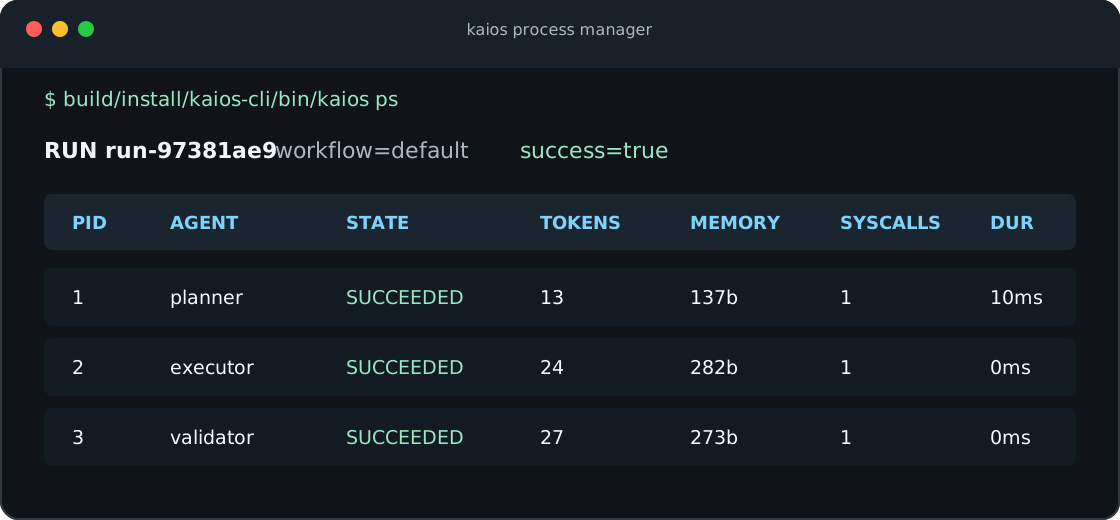
The CLI exposes process-style observability from the first demo, with no external API key required.
The default workflow and editable project configs emit process metrics, lifecycle events, and KAI Process Trace JSON that can be inspected after the run.
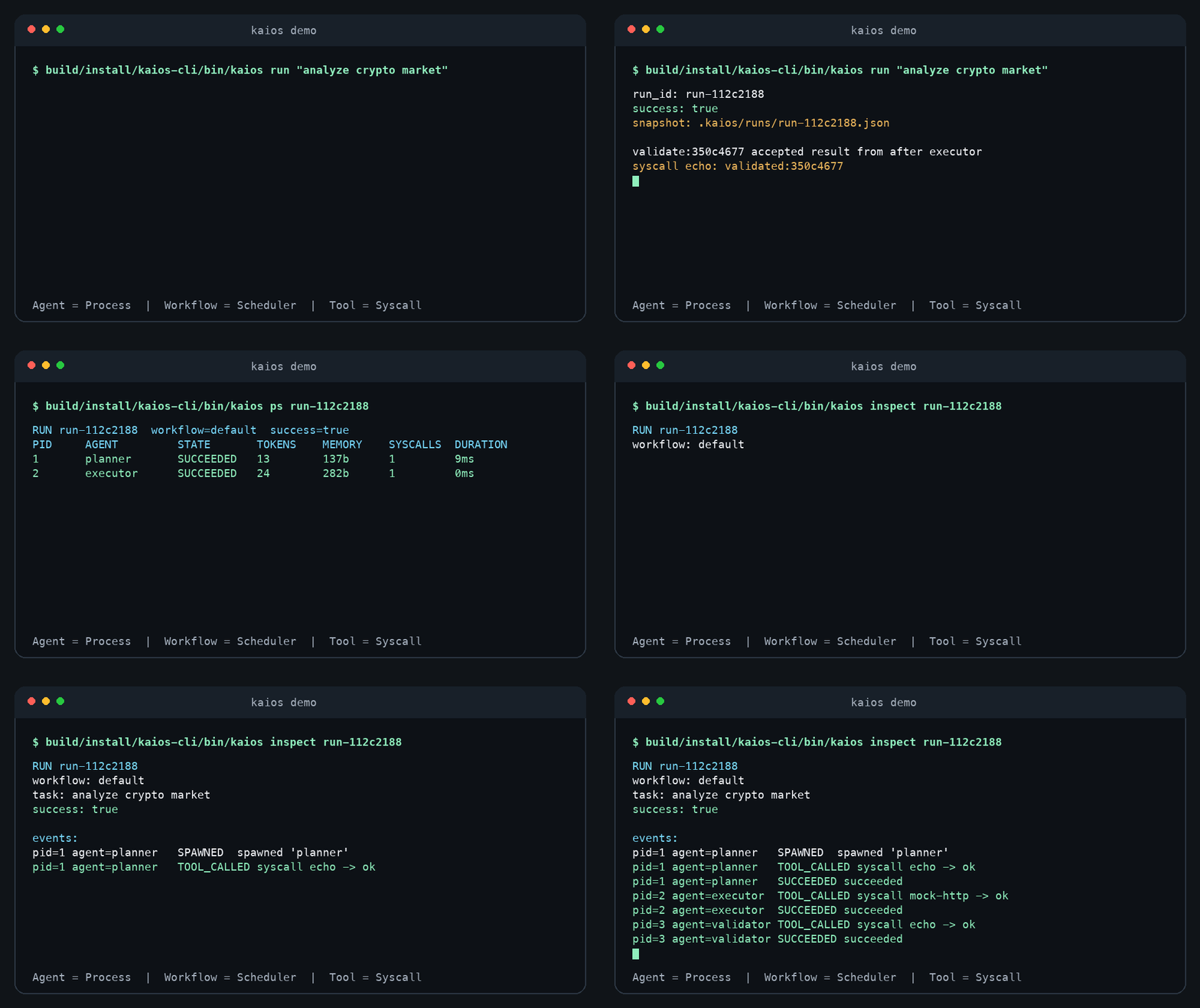
The first evidence milestone is intentionally small, deterministic, and inspectable: process recovery, priority scheduling, and a syscall ledger are visible in the runtime artifacts.
Mock model execution keeps the first run local and reproducible, while provider interfaces leave room for real models.
MockModelProviderOpenAI-compatible and Ollama providers plug into the same runtime abstraction when you want live inference.
ModelProviderEcho, clock, mock HTTP, allowlisted real HTTP, and scoped file access demonstrate permissioned tool execution.
ToolPermissionSession memory, SQLite memory, and JSON snapshots make agent runs inspectable after execution.
MemoryStoreAsk for the next command, run workflows, list runs, print process tables, inspect lifecycle events, emit process traces, package evidence, render reports, and export Markdown artifacts.
kaios evidenceGenerate no-key Markdown or JSON project reports with kaios analyze, map source shape, and preview bounded context files.
kaios analyzeGenerate template workflows, validate configs, show the DAG, auto-run kaios.json, and create a GitHub Actions Agent Gate with JSON evidence and failure reports.
kaios init --ciDescribe agents and workflows with typed Kotlin APIs that can grow into plugin and UI layers.
agent { workflow }Start with the local review loop: current Git change in, Markdown artifact, process trace, replayable capsule, and baseline gate out.
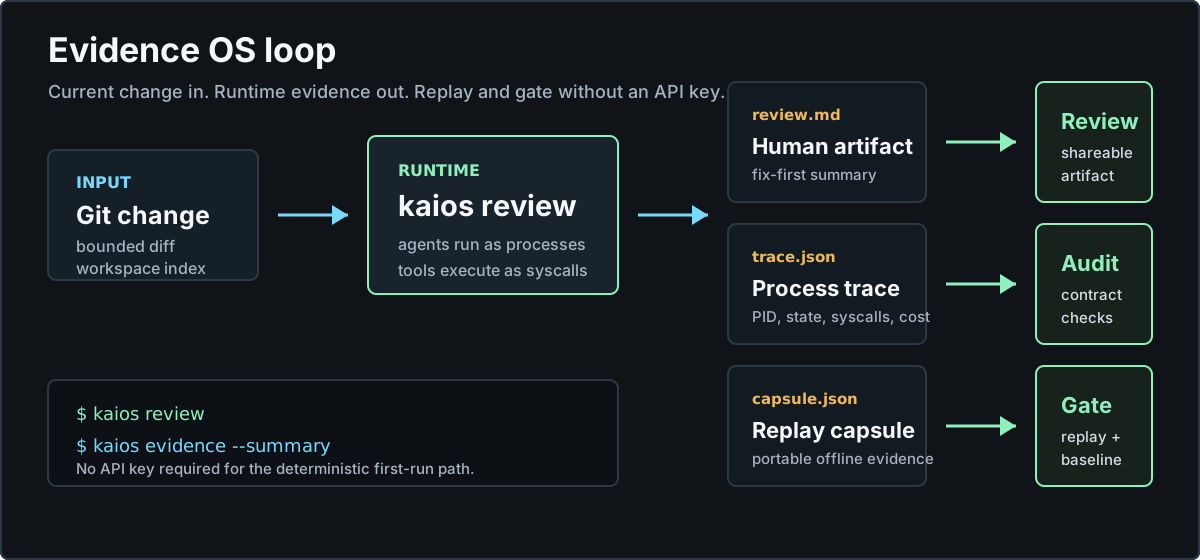
Review a dirty Git workspace with bounded changed-file context, no API key, and a stable kaios.review/v1 JSON contract.
kaios reviewAdd a no-key readiness gate that validates config, runs a deterministic workflow, writes JSON evidence, and explains failures from the PR page.
kaios gateInspect a multi-agent run through process ids, lifecycle events, token usage, context size, syscall counts, and trace validity.
kaios psPackage a run as a capsule, replay it offline, compare it against a baseline, and print a PR-friendly evidence summary.
kaios evidenceAnalyze, index, and attach bounded repository context so an agent can reason over a project without copying the whole workspace.
kaios run --indexKAI OS starts locally with no API key. Tour creates a disposable repo and runs the full Evidence OS loop; quickstart, review, and evidence are the real-project path.
# Run KAI OS after installing the CLI
kaios tour

# Real project path
kaios quickstart
kaios review
kaios evidence --summary
kaios evidence --baseline artifacts/baseline.capsule.json --check

# Ask KAI OS for the next workspace-aware command
kaios next

# Preview onboarding writes:
kaios quickstart --dry-run

# local-only first run:
kaios quickstart --no-ci

# manual path:
kaios demo
kaios setup --ci
kaios gate
# optional when you keep a baseline:
kaios gate --baseline artifacts/baseline.capsule.json --check
kaios export

# or:
curl -fsSL https://morning-verlu.github.io/KAI/install.sh | sh
export PATH="$HOME/.kaios/bin:$PATH"
kaios tour
kaios next
kaios quickstart
kaios review
kaios ps
kaios inspect
kaios trace --check
# optional when you keep a baseline:
kaios evidence --baseline artifacts/baseline.capsule.json --check
kaios report